Guides
50 Player BINGO How to Play
Learn 50 Player BINGO how to play on Roblox: card basics, round rules, payouts, upgrades, and Bingo timing.
Quick Answer
Use the official Roblox game page screenshots as the safest visual reference for the lobby, card layout, and multiplayer bingo-room presentation. Do not copy third-party guide images; use them only to understand which UI states players need explained. 50 Player Bingo on Roblox drops you into a fast-paced bingo hall with up to 49 other players. Each match la
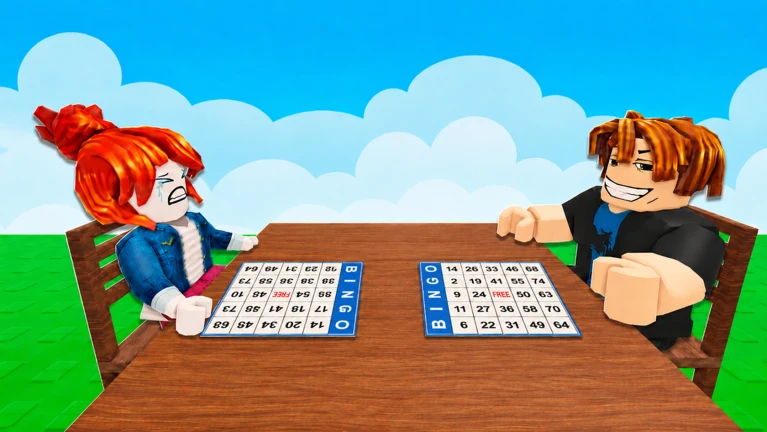
50 Player BINGO Visual Reference
Use the official Roblox game page screenshots as the safest visual reference for the lobby, card layout, and multiplayer bingo-room presentation. Do not copy third-party guide images; use them only to understand which UI states players need explained. 50 Player Bingo on Roblox drops you into a fast-paced bingo hall with up to 49 other players. Each match lasts three rounds, and your goal is simple: mark numbers as they are called, complete the required pattern, and call Bingo before anyone else. This guide walks you through the full flow—card basics, the three round types, payouts, and the upgrades that actually speed up your progression. By the end, you'll know exactly what to do in each round, how to avoid the most common mistakes, and where to spend your cash for the fastest returns.
50 Player BINGO Before You Join a Match
Open the exact Roblox experience by Turret Sims, wait for the lobby UI to load, and check whether the Codes area or any update notice is visible before your first round. This prevents you from missing a free cosmetic code or joining a match before you understand the current objective display.
50 Player BINGO What You Need Before Starting
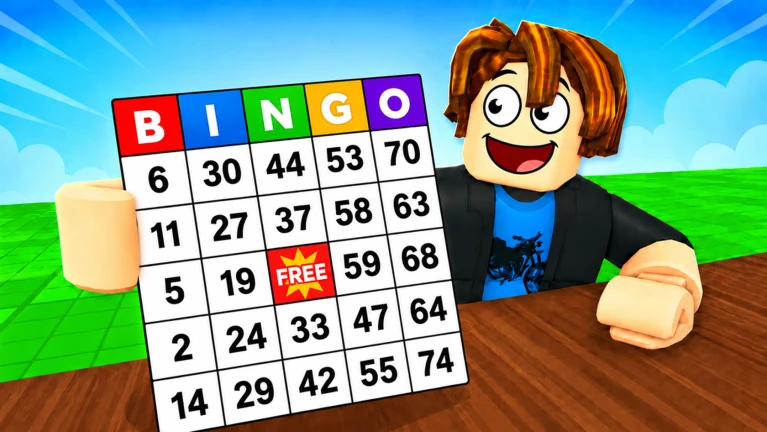
Getting into 50 Player Bingo requires only a Roblox account and the game itself. Here is the full checklist: | Requirement | Details | |---|---| | Roblox account | Free to create at roblox.com; required to launch any Roblox experience | | Game access | Search for "50 Player BINGO" by Turret Sims on the Roblox platform | | Device | Works on PC, mobile, and console versions of Roblox | | Optional: promo codes | The code CARD grants a Ticket Stub card skin; redeem it in the lobby's Codes area before your first match | The game gives you a standard 5x5 Bingo card with 24 numbers and a free center space. No purchase is required to play your first match—you earn cash from participation alone.
How to Play 50 Player Bingo: Step-by-Step
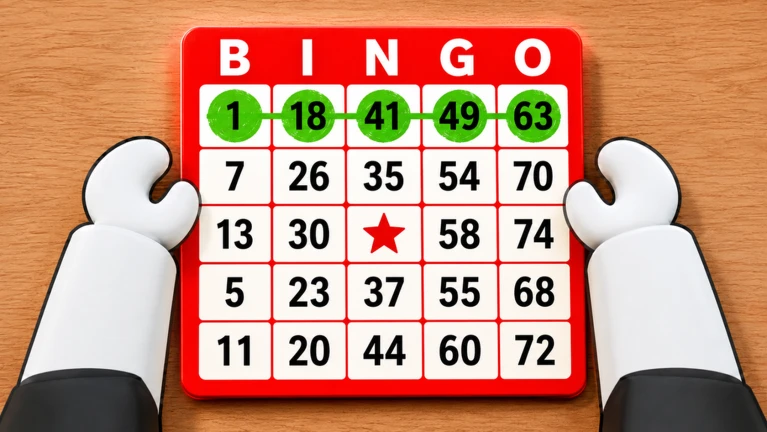
### Step 1: Understand Your Card When the match starts, you receive a 5x5 grid of numbers. The center space is already marked and counts toward every pattern. Numbers are drawn by the host and appear at the top of your screen—your only job is to check whether each called number appears on your card and tap it to mark it. ### Step 2: Learn the Three Round Types Every match is split into three rounds, each with a different completion goal. The active objective is always shown in the top-right corner of your screen. | Round | Objective | Payout | |---|---|---| | Round 1: Single Line | Complete any five spaces in a straight or diagonal line | 150 cash | | Round 2: Random Shape | Copy the shape shown in the top-right objective on your card | 150 cash | | Round 3: Full Card | Mark every number on your card | 800 cash | ### Step 3: Call Bingo Correctly When you believe you have completed the active pattern, press the Bingo button. If you are correct, the round ends and you receive the payout. If you call Bingo without the required pattern, you waste the call and lose time—another player can finish the round while you are stuck. ### Step 4: Collect Your Earnings The match ends after the full-card round. You receive cash for each round you complete. Even if you win nothing, you still get 50 cash as a participation reward. Your total earnings are added to your balance automatically. ### Step 5: Spend Cash on Progression After your first match, you can spend cash in the shop. The highest-value purchase is extra card slots. Playing multiple cards at once gives you more chances to complete the active pattern each round. Cosmetic items—card skins, chairs, dances, and stamps—do not improve your odds, so prioritize card slots if your goal is faster progression.
Common Mistakes and How to Recover
### Mistake 1: Calling Bingo Without Checking the Pattern During the random-shape round, having many marked numbers is not enough. The marks must match the exact shape shown in the top-right corner. Before calling Bingo, compare your marked spaces against the shape. Recovery: If you lose track, use the board at the back of the room to review previously called numbers. Re-check your card against that list before calling. ### Mistake 2: Losing Track of Multiple Cards Extra card slots increase your chances but also your cognitive load. When numbers are called quickly, it is easy to miss a mark on one of your cards. Recovery: Pause and scan each card one at a time after every few calls. Use the called-numbers board at the back to verify which numbers you may have missed. ### Mistake 3: Spending Cash on Cosmetics First Card skins and chairs look nice, but they do nothing for your win rate. Buying cosmetics before extra card slots slows your cash income. Recovery: If you already spent cash on cosmetics, focus your next several matches solely on saving for your first extra card slot. The participation reward alone guarantees 50 cash per match.
Advanced Tips for Faster Progression
Prioritize card slots over everything else. Each additional card multiplies your chances of completing the active pattern. The first extra slot is the single biggest upgrade available. Memorize the three round payouts. Knowing that the full-card round pays 800 cash—more than five times the earlier rounds—helps you decide when to focus. During round three, slow down and check every number carefully. Use the called-numbers board as a safety net. It is always available at the back of the room. When in doubt, reference it instead of guessing. Redeem codes before your first match. The CARD code gives you a free card skin, which saves you from spending cash on cosmetics later. Check the Roblox game page and in-game notices first, then verify any third-party code claims before redeeming. Do not chase RNG. 50 Player Bingo is mostly luck-based. There is no trick to force better numbers. What you control is your accuracy, your card count, and your spending decisions.
Frequently Asked Questions
### Can you win 50 Player Bingo without calling Bingo? No—you must call Bingo to claim a round. However, you still receive 50 cash as a participation reward even if you do not win any round. ### How much cash do you get for a full card in 50 Player Bingo? The full-card round pays 800 cash, which is the largest single-round payout in the game. ### Is 50 Player Bingo skill-based or luck-based? The game is primarily luck-based because numbers are drawn randomly. Your skill affects how accurately you mark cards and how quickly you notice completed patterns. ### Are there working codes for 50 Player Bingo? Yes. The code CARD grants a Ticket Stub card skin and was working as of August 2026. New codes should be verified in game before being treated as working.
Related Guides
Key points for this section are listed below.
- 50 Player BINGO Codes — active and expired codes, plus redemption instructions
- 50 Player Bingo Guide — deeper strategy, upgrade tiers, and leaderboard climbing tips
Visual References
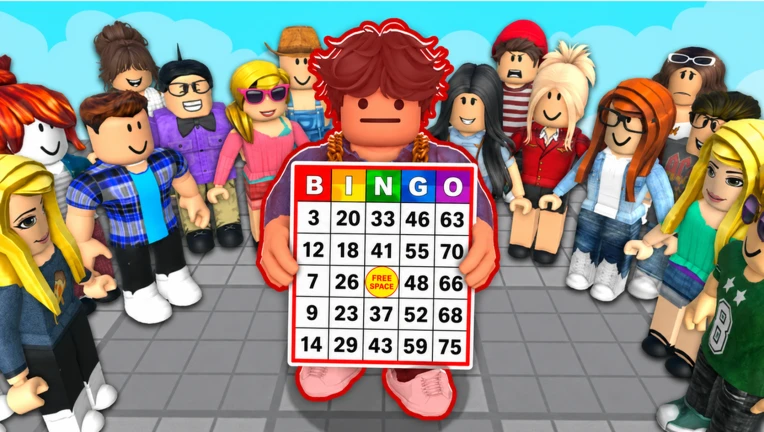
Next 50 Player BINGO Pages
FAQ
Can you win 50 Player Bingo without calling Bingo?
No—you must call Bingo to claim a round. However, you still receive 50 cash as a participation reward even if you do not win any round.
How much cash do you get for a full card in 50 Player Bingo?
The full-card round pays 800 cash, which is the largest single-round payout in the game.
Is 50 Player Bingo skill-based or luck-based?
The game is primarily luck-based because numbers are drawn randomly. Your skill affects how accurately you mark cards and how quickly you notice completed patterns.
Are there working codes for 50 Player Bingo?
Yes. The code CARD grants a Ticket Stub card skin and was working as of August 2026. New codes should be verified in game before being treated as working.